Contents
- How to import a wallet
- How to sign a document (and what you need)
- How to submit a qualification request (category)
- Why SOL is required and how it’s spent
- Android secure storage: what we use and why it’s safe
- Safely moving SOL/tokens to a cold wallet
- Security checklist
Important: this app is a hot wallet on your device. For larger amounts, use a separate cold wallet, and keep only “operational funds” inside the app.
How to import a wallet
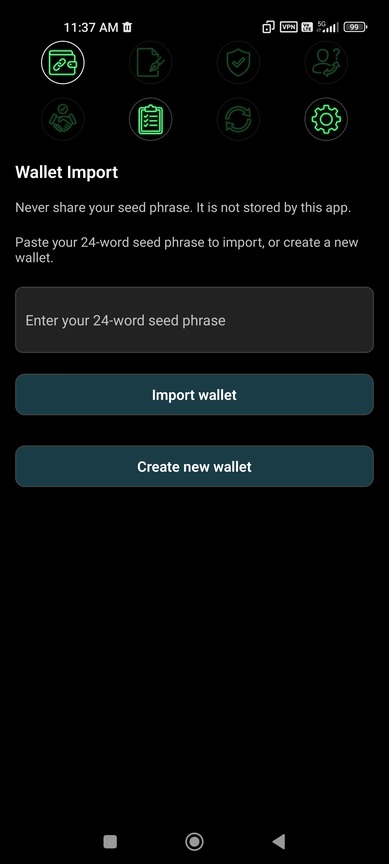
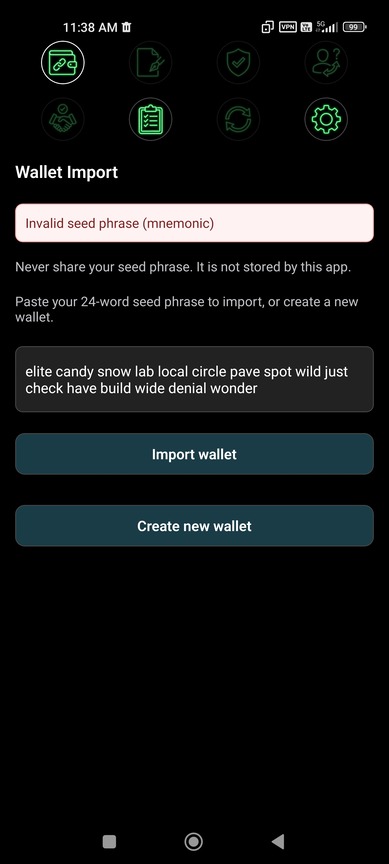
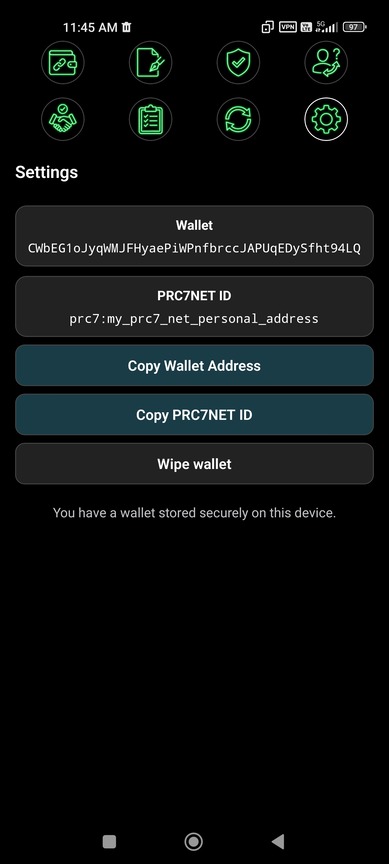
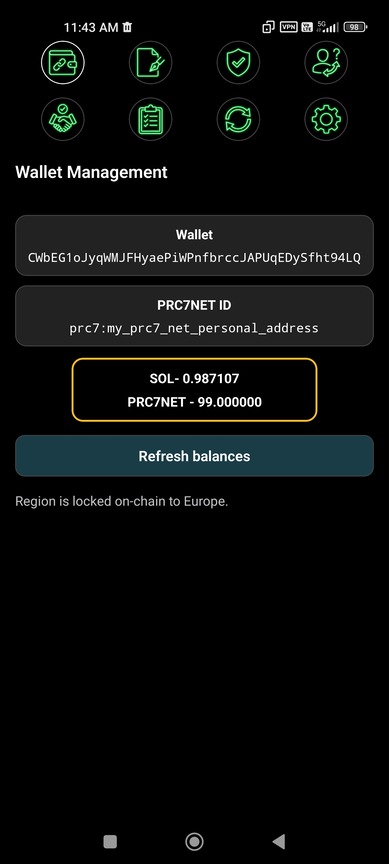
Supported format: a 24‑word seed phrase (mnemonic). The app uses it to derive your keys and public address.
Import an existing wallet
- Open the Wallet tab (or the Wallet Import screen if no wallet exists yet).
- Paste your 24‑word seed phrase (words separated by spaces) into the input (placeholder: Enter your 24-word seed phrase).
- Tap Import wallet and wait for completion.
- After import, your Public key and Balances are shown in the same screen.
Create a new wallet
- Tap Create new wallet.
- The app will display the seed phrase once (label: Seed phrase (show once)). Write it down offline (paper/metal). Avoid screenshots.
- After you leave that screen, the seed phrase is not persisted and cannot be recovered by the app.
Region (required)
- Before the first on-chain registration you must select a region (label: Select region (required)).
- The region becomes locked on-chain after registration and cannot be changed later.
- The current UX requires you to have SOL and PRC7NET before selecting a region.
Never share your seed phrase or type it into websites. Anyone who gets the seed phrase gets full control over your funds.
How to sign a document (and what you need)
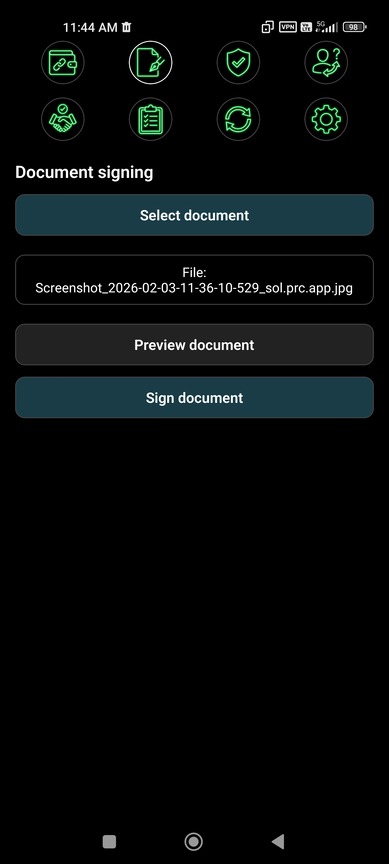
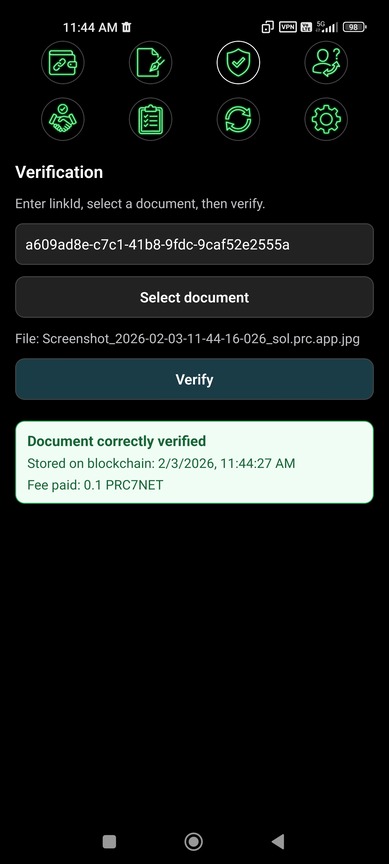
Signing is a two-part flow: local cryptography (hash/sign) + a Solana on-chain transaction (to persist the result and produce a verification link).
Requirements
- A wallet exists (imported/created) and can be unlocked via device security (biometrics / lock screen).
- SOL balance: keep at least 0.005 SOL (network fees + rent-exempt deposits for on-chain state).
- PRC7NET balance: required for registration and protocol fees. In the current build, signing uses a fee of 0.1 PRC.
- Registration: the first time you do a protocol action, the app may register your profile on-chain. Registration requires at least 10 PRC7NET.
Steps (UI labels as in the app)
- Open the Sign tab (screen title: Document signing).
- Tap Select document and pick a file.
- (Optional) Tap Preview document to review what you selected.
- The app computes and shows SHA-256 for the selected document.
- Tap Sign document. You will see a system prompt to unlock (e.g. “Unlock wallet”), then the app sends a Solana transaction.
- After confirmation you will get fields like linkId and verificationUrl. Use Copy verification link, Share verification link, or Open in Verify.
If SOL is too low, the transaction will fail. If PRC7NET is insufficient, the operation may fail due to protocol balance requirements.
How to submit a qualification request (category)
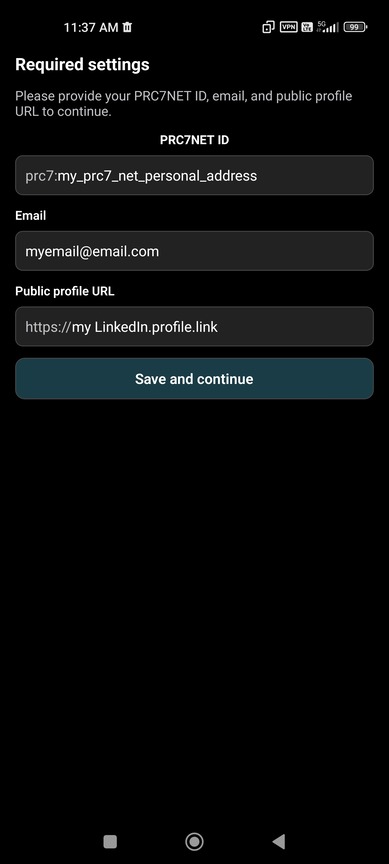
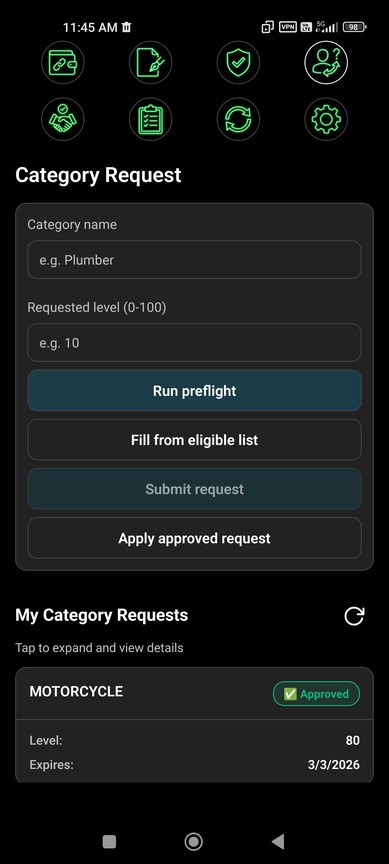
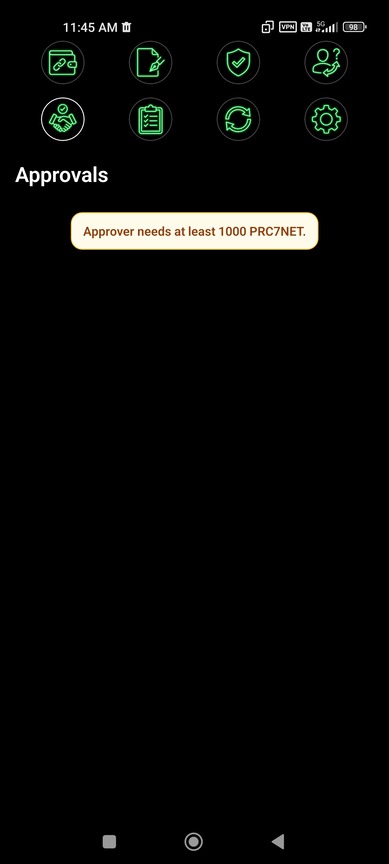
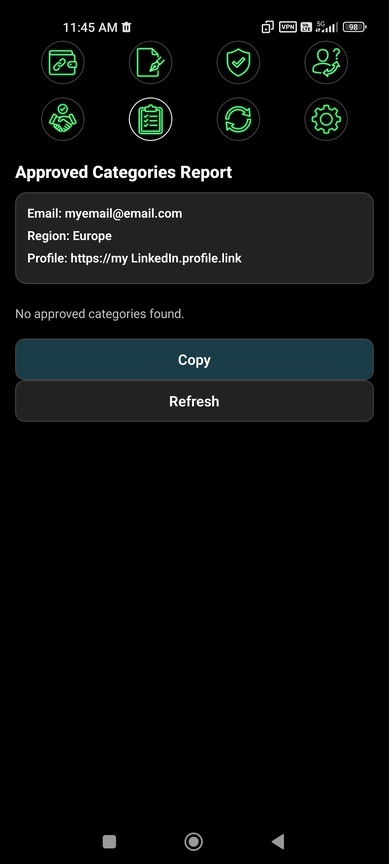
In the app, “qualification” is implemented as a category request (category + level) that is decided via approvals. Use Preflight to calculate the fee (in PRC lamports) and the required number of approvers.
Requirements
- SOL > 0 to pay network fees.
- PRC7NET > 0 for protocol fees (exact fee depends on preflight).
- Registration: most actions require a registered profile (minimum 10 PRC7NET to register).
Steps (UI labels as in the app)
- Open the Request tab (screen title: Category Request).
- Fill Category name and Requested level (0-100).
- Tap Run preflight to compute Fee and Approvers.
- (Optional) Tap Fill from eligible list to auto-fill candidates.
- Enter the required Approver wallets (some can be chosen by you, others may be added by the server depending on the rules).
- Tap Submit request and confirm the on-chain transaction.
Note: fees depend on category/level and network rules. Always rely on Preflight, which shows the exact fee in PRC lamports.
Why SOL is required and how it’s spent
SOL is required by the Solana network itself: any on-chain action is a transaction that costs a network fee. In addition, some actions create new accounts (e.g. an associated token account / protocol PDAs), which require a rent-exempt deposit.
What exactly consumes SOL
- Transaction fee: a small fee for processing the transaction (can vary with network conditions).
- Rent-exempt deposit: SOL locked inside newly created accounts so they can exist persistently. It does not “burn”, but those lamports are reserved while the account exists (closing the account returns the deposit).
- ATA creation: the first time a token account (ATA) is needed, it may be created, which typically requires SOL.
Practical recommendation: keep a small operational SOL balance (e.g. 0.01–0.05 SOL) so you don’t hit fee / account-creation errors during normal operations.
Android secure storage: what we use and why it’s safe
On Android, the app does not store your private key in plain storage (not in the filesystem and not in AsyncStorage). The private key is stored using react-native-keychain, which relies on Android’s system security mechanisms (Keystore-backed secure storage) and can require biometric authentication.
Key properties (current implementation)
- Device-only: uses WHEN_UNLOCKED_THIS_DEVICE_ONLY — available only on this device and only while the device is unlocked.
- Biometrics: by default uses BIOMETRY_CURRENT_SET. If your biometric set changes, access is invalidated and must be re-established.
- Explicit prompt: when reading the key, the app shows an OS prompt (e.g. “Unlock wallet”) so the user explicitly authorizes access.
- Fallback: if biometrics or secure hardware are unavailable, the app falls back to secure storage without biometric access-control.
Note: the wallet public key is stored separately for convenience and is not secret.
Any hot wallet depends on device security. If the device is rooted, compromised, or unlocked by an attacker, your risk increases. For long-term storage of larger amounts, use a separate cold wallet.
Safely moving SOL and tokens to a cold wallet
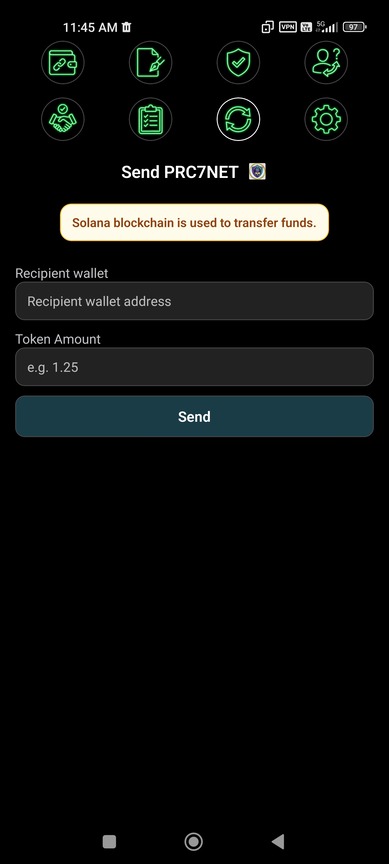
Recommended model: use the in-app wallet for operations (signing, requests, small transfers), and keep your main funds in a separate cold wallet (hardware wallet / separate seed / offline storage).
Safe transfer steps
- Create a cold wallet: a separate address whose seed phrase is never entered into this app.
- Verify the recipient address: always verify the first/last 4–6 characters before sending.
- Do a test transfer: send a small amount (e.g. 0.001 SOL and/or a small amount of PRC7NET) and wait for confirmation.
- Move the main amount: after the test succeeds, send the remaining funds.
- Keep operational minimums in the app: a small SOL buffer for fees and enough PRC7NET for protocol actions (registration needs 10 PRC7NET; signing fee is 0.1 PRC in the current build).
PRC7NET token transfers are available in-app via the Send tab (screen title: Send PRC7NET) with fields Recipient wallet and Amount (PRC7NET), then tap Send. For SOL transfers, use a trusted Solana wallet app if your current build does not provide an in-app SOL send screen.
Important: don’t drain SOL to zero. If you leave 0 SOL, on-chain actions (signing/requests/votes) will stop working.
Security checklist
- Enable a strong device PIN/password and biometrics.
- Never screenshot your seed phrase; store it offline.
- Install APKs only from trusted sources; use the official website’s Download APK link.
- Always verify recipient addresses (first/last characters) before sending.
- Keep your main funds in a cold wallet; keep only operational balances inside the app.
If you suspect device compromise, immediately move funds to a new address derived from a new seed phrase.
Want this guide to match your exact app build 1:1? Tell me the version (e.g. v1.0.9) and I’ll adjust any remaining wording to the exact screen/button texts.
App Demo Video
Short UI Demo
This is a short demo of the mobile app UI showing the main features in action.